
Virtual Staging
Virtual Home Staging Software for Real Estate Listings
Empty listings sit. Staged ones sell. Upload an empty room photo and get an MLS-ready render in 30 seconds, not 2 days. No furniture rental. No staging crew.
Stage My ListingSubscribe monthly · Top up with credits · Cancel anytime
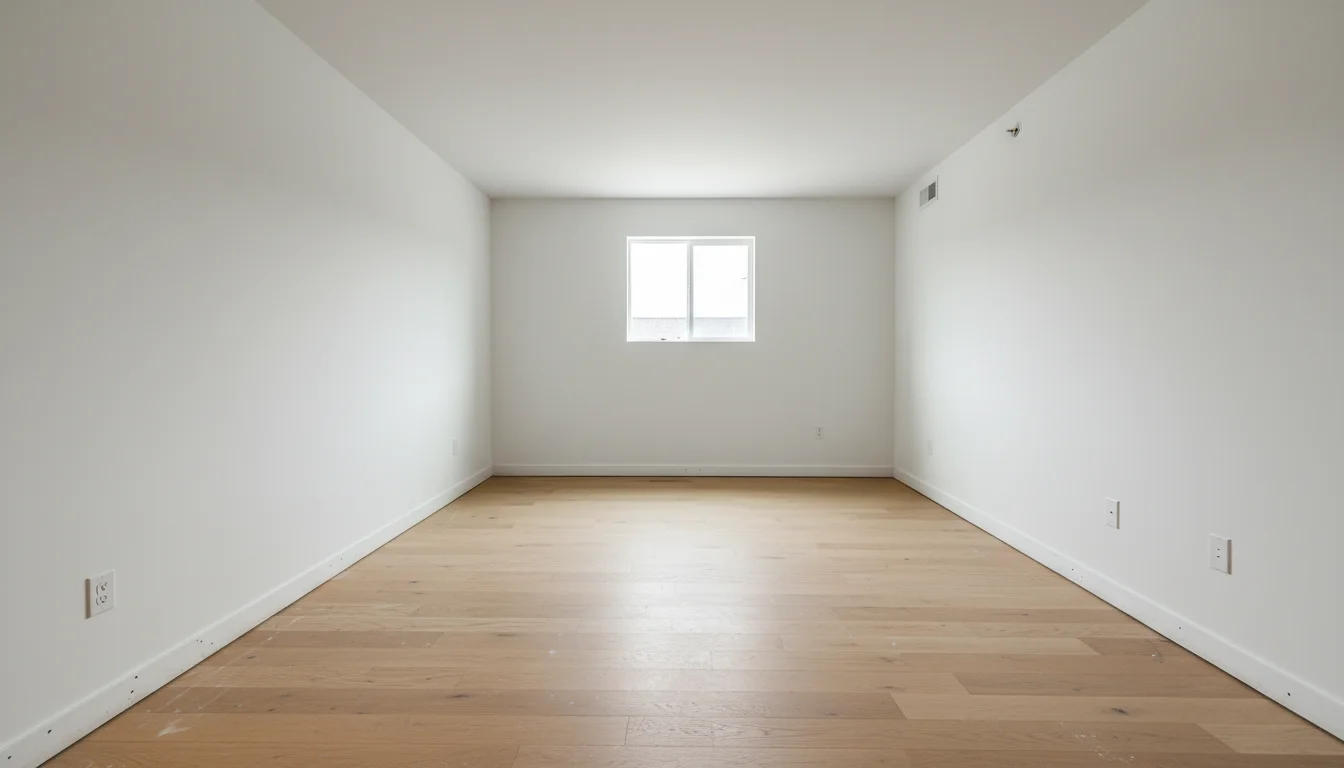 Before
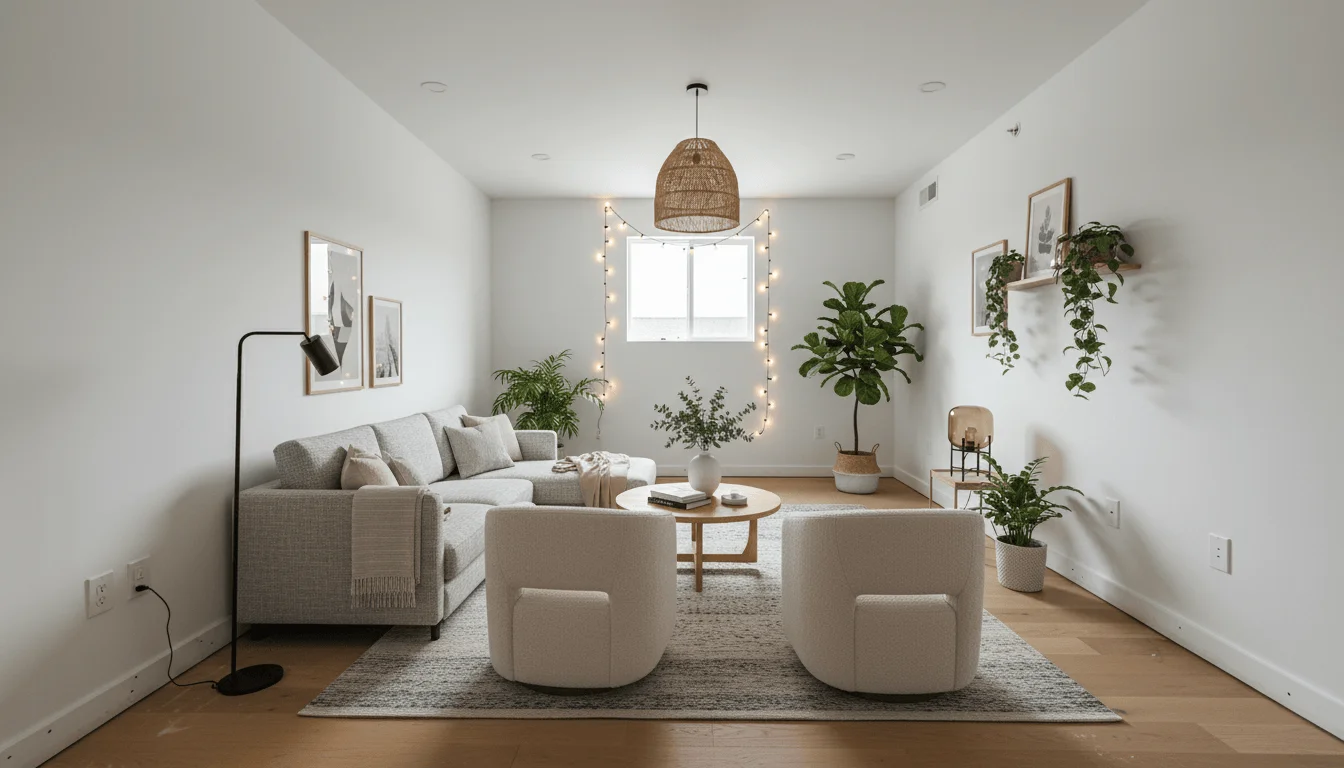 After
AfterAI-staged in 30 seconds
Up to 97% cheaper
Physical staging runs $1,000 to $5,000. AI staging costs a few dollars per room.
Results in 30 seconds
Upload a photo and get listing-ready staged images before your next showing.
MLS-ready, instantly
Full-resolution downloads that meet MLS, Zillow, and Realtor.com specs.
What it is
What is AI virtual staging?
AI virtual staging, also called virtual home staging, uses generative AI to digitally furnish and decorate photos of empty or unfurnished rooms. Unlike traditional virtual staging, which requires a designer to manually composite furniture images in editing software, AI virtual staging works automatically from a single photo in under a minute.
The AI reads the room's geometry, lighting direction, floor material, and wall colors, then places scaled, photorealistic furniture that matches the style you select. The result looks like a professional photography session with a full staging crew, without the logistics, cost, or scheduling delays.
The primary use case is real estate. Empty rooms photograph poorly and are harder for buyers to visualize as livable spaces. Staged listings sell faster and attract more serious offers. Physical staging typically costs $1,000 to $5,000 per property and requires scheduling, delivery, and removal. AI virtual staging delivers the same visual result for $10 to $20 per room, with results available before your next showing.
Beyond real estate, interior designers use AI virtual staging to visualize empty new-build spaces before furniture delivery, and landlords use it to market unfurnished rentals with styled photos that attract higher-quality tenants.
How it works
How virtual staging software works in three steps
No physical furniture, no scheduling, no studio. Real estate agents and sellers go from empty room photo to listing-ready render in under a minute.
Upload an empty room photo
Any smartphone photo works. Clear lighting and a wide angle give the best results.
Choose a style
Select a design style that matches your target buyer. Modern, Scandinavian, Luxury, and more.
Download and publish
Get high-resolution staged images in under a minute, ready for your listing.
Examples
Before and after AI virtual staging
Real results from AI Room Styler. Each image generated in 30 seconds.
BeforeAfterEmpty Living Room Staged
Add Furniture mode · Contemporary style
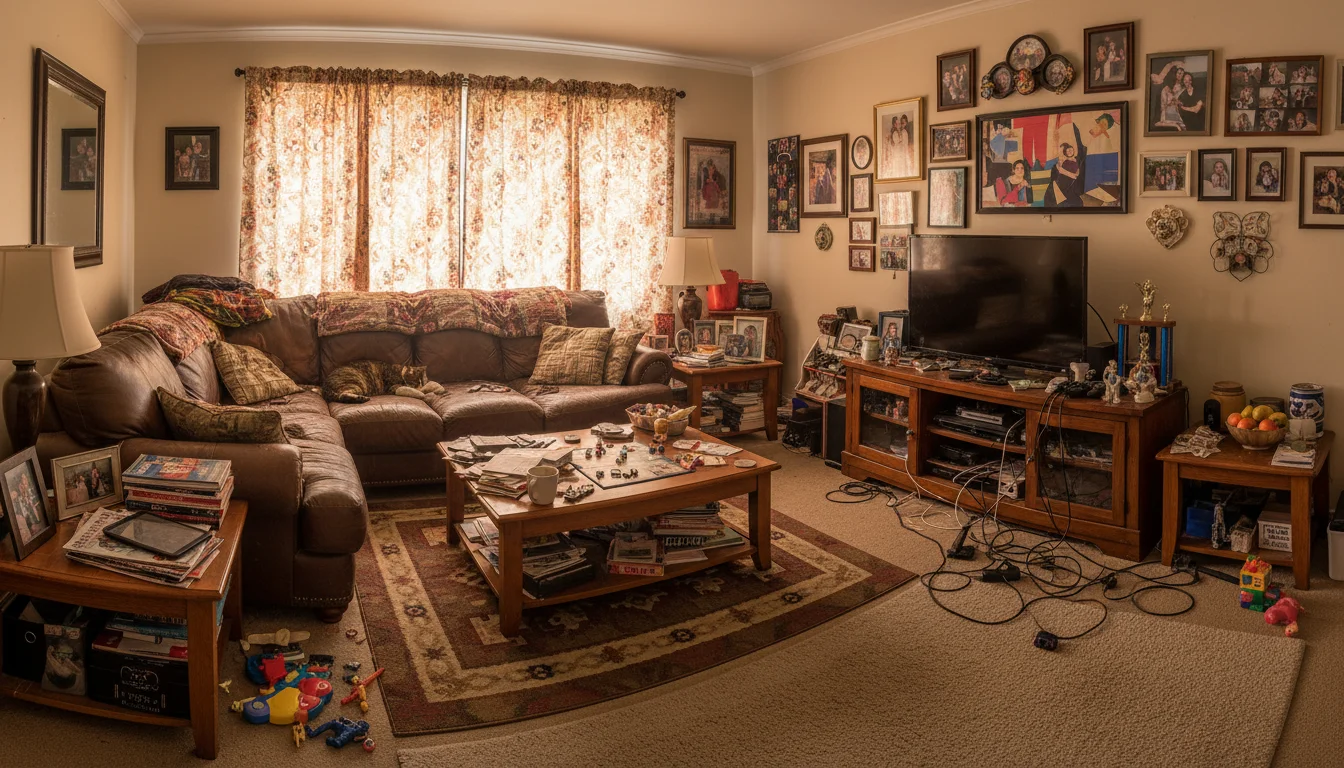 Before
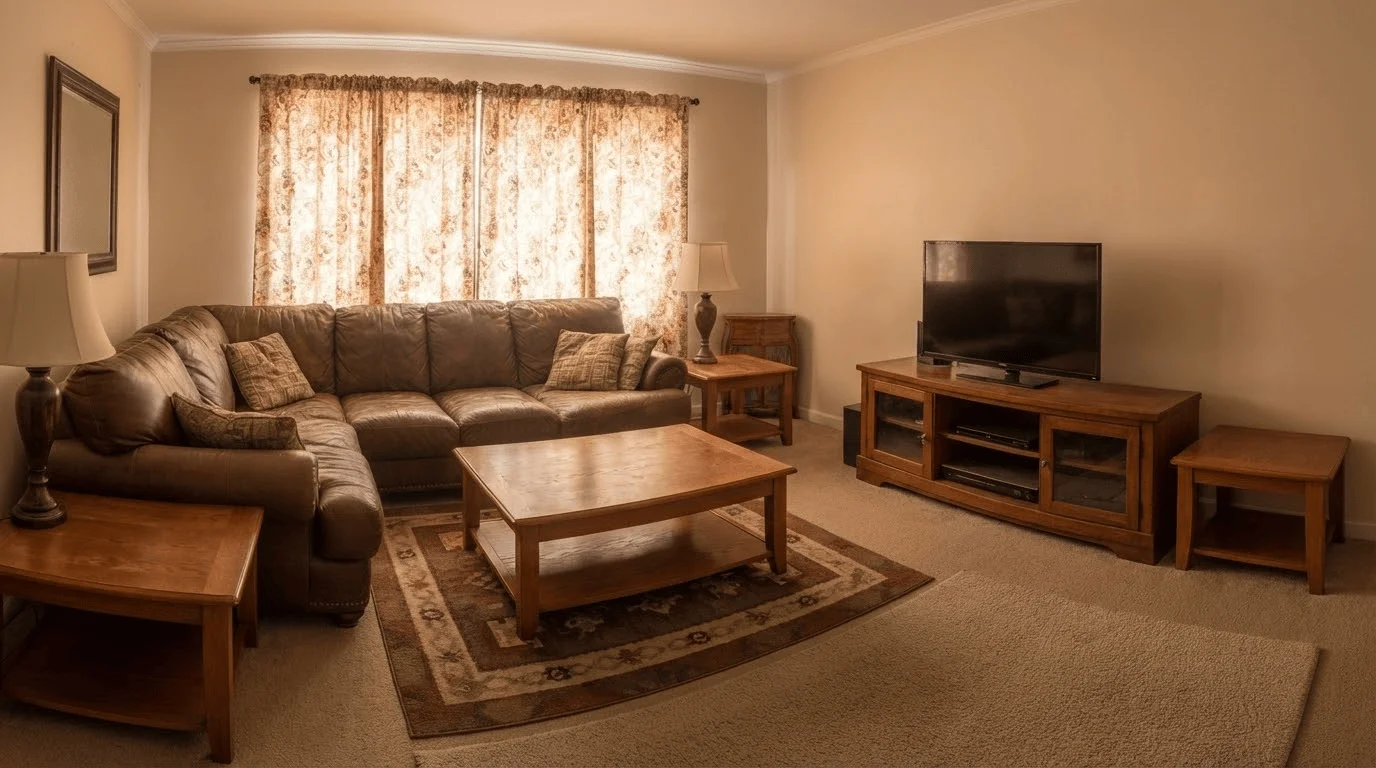 After
AfterDeclutter Before Staging
Declutter mode · Clean neutral canvas
Cost comparison
Virtual staging cost: AI vs. traditional staging
The same listing-ready photos at a fraction of the cost and effort.
| Feature | AI Virtual Staging | Traditional Staging |
|---|---|---|
| Cost per room | $10 to $20 | $500 to $2,000 |
| Turnaround time | Under 1 minute | 2 to 5 business days |
| Physical furniture | Not required | Truck, crew, storage |
| Style changes | Unlimited, instant | Costly and slow |
| Output resolution | High-res download | Requires photographer |
| MLS-ready | Yes | Yes |
Pricing
Subscribe monthly. Top up anytime. Cancel anytime.
Pick a plan for a monthly allowance, and top up with credits across any room, any style, any time.
One photo, one render
Each staged render uses a single credit. No minimums, no monthly fee.
Bundles bring the cost down
Larger credit packs lower the per-render price. Built for agents staging multiple listings.
Credits never expire
Stage a listing this week or next quarter. Your balance stays put.
FAQ
Virtual staging FAQs for real estate agents and sellers
Everything agents and sellers ask about AI virtual staging.
AI virtual staging uses machine learning to furnish photos of empty rooms with realistic, photorealistic furniture and decor. It produces results that look like professional photography without physical furniture, stylists, or staging fees.
Traditional physical staging costs $1,000 to $5,000 per property. AI virtual staging with AI Room Styler costs a fraction of that. A monthly subscription includes an allowance of staged rooms each cycle, so it works for a single listing or an entire portfolio.
Yes. The outputs are high-resolution and photorealistic. Many agents use AI virtual staging directly in MLS listings, property websites, and marketing materials. Always disclose that images are virtually staged, as required by most MLS guidelines.
Yes. Living rooms, bedrooms, dining rooms, home offices, and open-plan spaces all work well. The AI scales furniture to the room and adapts to the existing lighting in your photo.
You choose the style. Options include Modern, Scandinavian, Contemporary, Transitional, Luxury, and more. Pick the style that matches your target buyer demographic for the best results.
Yes. The NAR Code of Ethics (Standard of Practice 12-1) requires that REALTORS® present a true picture in their advertising, and most MLS rules treat altered listing photos as material to that requirement. A simple "virtually staged" label in the photo caption or listing description is standard practice and keeps you compliant. Always confirm the exact wording your local MLS expects, since rules vary by state and board.
Source: NAR Code of Ethics, Article 12
The Add Furniture mode works best with empty or near-empty rooms for the cleanest results. If a room has existing furniture you want to remove first, use the Declutter mode to clear it, then stage with new furniture.
Unlimited. You can generate as many style variations as you want from the same photo. This is useful for testing which style resonates best with your target buyer segment before publishing your listing.
A professional staging company charges $500 to $2,000 per room and requires scheduling, delivery, setup, and removal, typically taking days. AI virtual staging costs $10 to $20 per room and delivers results in under a minute, with no physical logistics involved.
Yes. AI Room Styler outputs high-resolution images that meet the upload requirements for Zillow, Realtor.com, MLS systems, and most property marketing platforms. Disclose the images as virtually staged in your listing.
Clear smartphone photos work well. Shoot with natural daylight, avoid heavy shadows or backlighting, and use a wide angle from a corner or doorway to capture the full room. Higher-quality source photos produce sharper staging results.
Yes. You can upload separate photos for each room and stage them individually. There is no limit on the number of rooms per property, and each staged room uses one design from your allowance rather than charging per property.
More AI design tools
Virtual staging guides
Go deeper by room, by who you are, and by how it compares.
Stage by room
For your role
Before you decide
Stage your first listing in seconds
Upload an empty room photo and see listing-ready staging results before your next showing.
Stage My Listing