Living Room Redesign
AI Living Room Redesign from Your Photo
Upload a photo of your living room and explore photorealistic redesign options in seconds. Scandinavian, Modern, Japandi, and 20+ more styles.
Redesign My Living RoomSubscribe monthly · Top up with credits · Cancel anytime
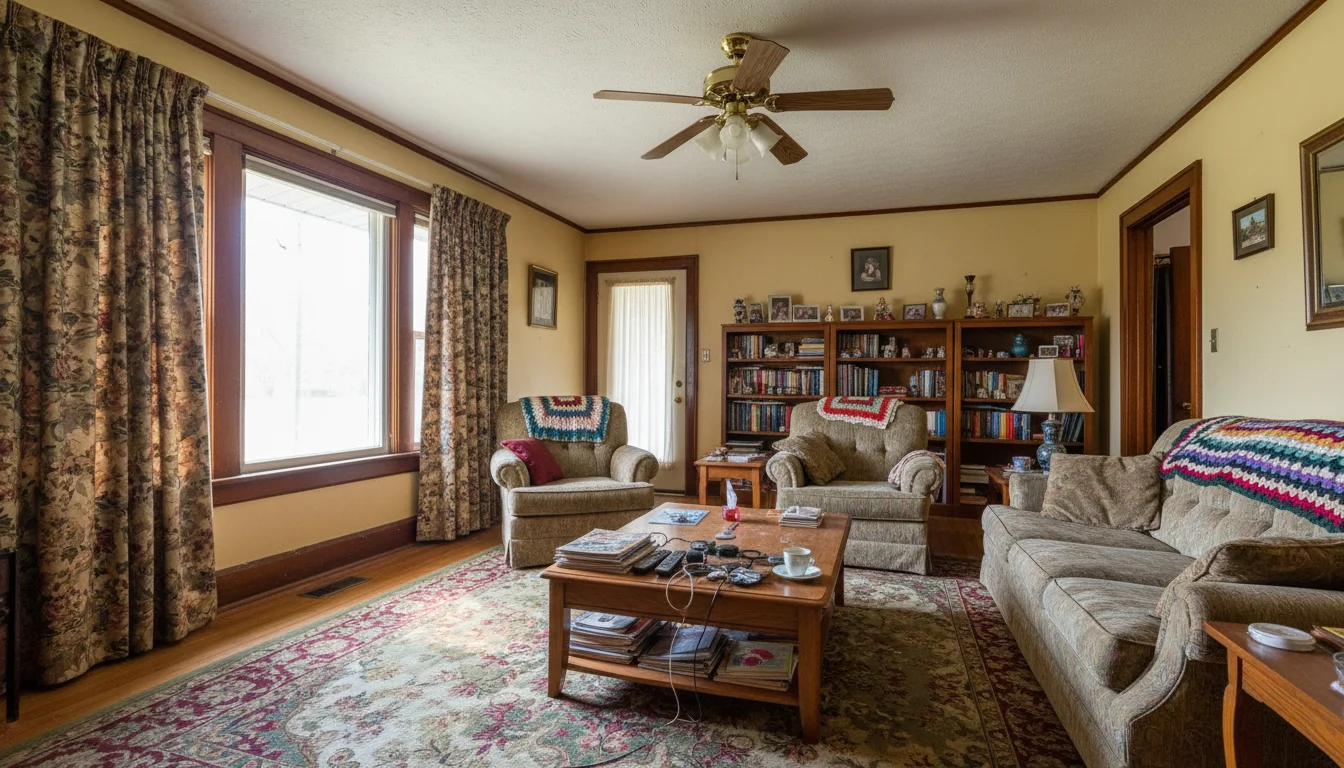 Before
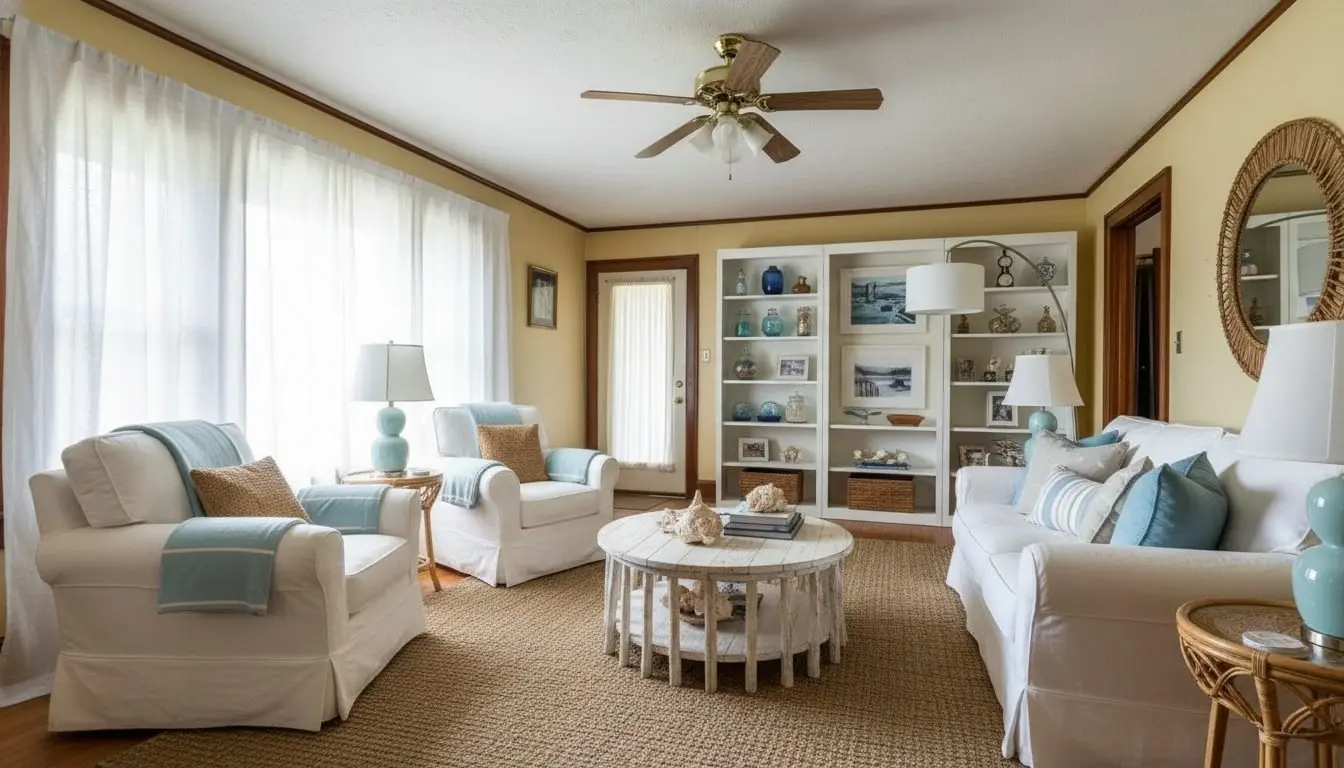 Coastal
Redesigned in Coastal style in 30 seconds
Styles
Living room interior design styles to try
Over 24 styles available. Generate multiple directions from the same photo and compare side by side.
Scandinavian
Clean lines, natural materials, warm neutrals.
Modern Minimalist
Stripped-back, functional, high contrast.
Japandi
Japanese simplicity meets Scandinavian warmth.
Industrial Loft
Exposed materials, raw textures, urban edge.
Contemporary
Current, versatile, balanced proportions.
Coastal
Light, breezy, natural palette and textures.
Bohemian
Layered textiles, warm tones, global influences.
Art Deco
Bold geometry, metallic accents, luxe finishes.
Plus custom prompts for any look you can describe.
What it is
What is AI living room redesign?
AI living room redesign takes a photo of your existing space and generates photorealistic alternatives showing how it would look in a completely different style. The AI keeps your room's architecture intact (walls, windows, ceiling, flooring, and layout) and replaces the furniture, textiles, wall color, and decorative elements with style-matched alternatives.
This is fundamentally different from mood boards or Pinterest inspiration. Instead of showing you rooms that look nothing like yours, AI redesign works directly from your photo. The proportions are yours. The natural light is yours. The result shows what your actual room would look like, not a showroom approximation of it.
The living room is the most commonly redesigned space because it involves the most purchasing decisions: sofas, coffee tables, rugs, lighting, shelving, and wall treatments. Getting the style direction right before buying any of those items saves significant money and avoids the most common renovation regret: buying furniture that looks different in your space than it did in the store.
Interior designers also use it to show clients multiple style directions before any design work begins, aligning on a vision before supplier quotes are requested. Real estate agents use it to help buyers visualize dated listings in a more current style.
Results
Living room redesign examples
BeforeCoastalCoastal Redesign
Redesign mode · Light palette, natural textures
Before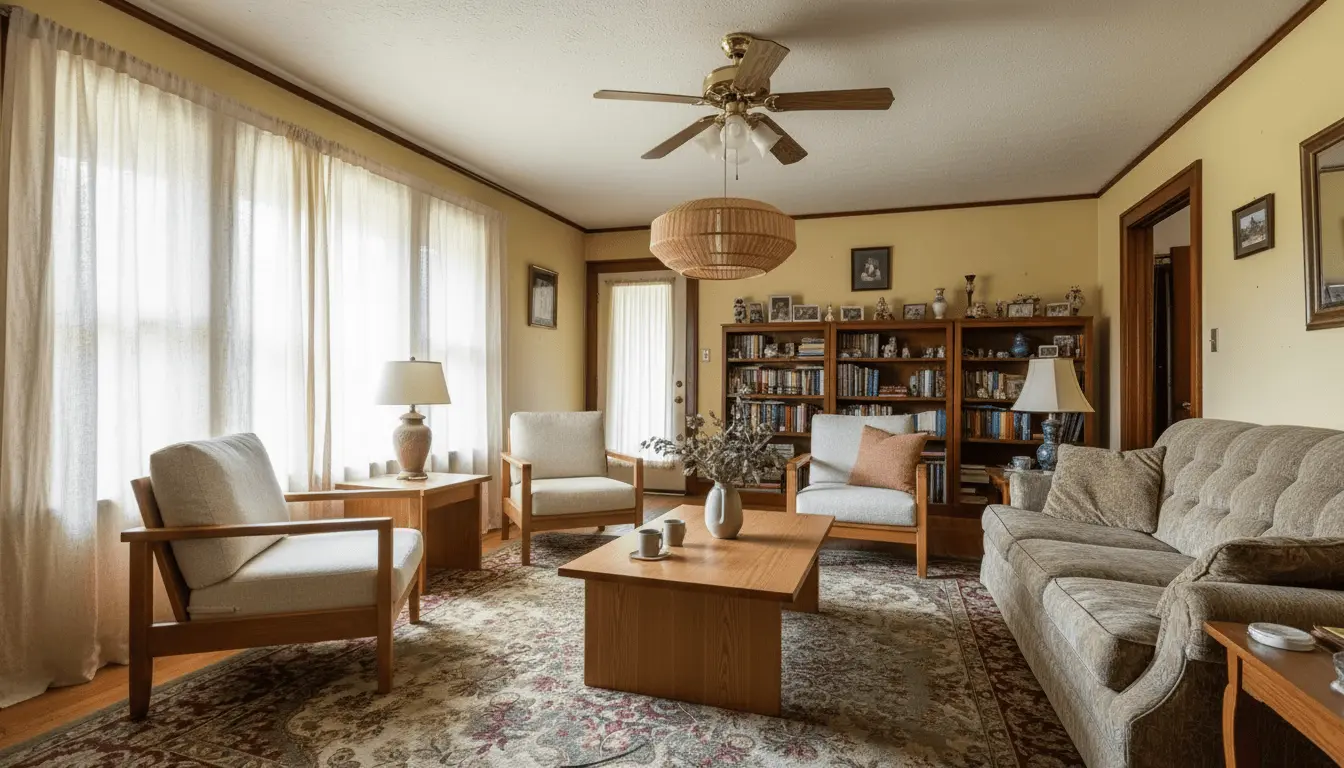 Japandi
Japandi Restyle
Restyle mode · Minimal forms, warm wood tones
How it works
How AI living room design works in three steps
An AI living room planner that skips the modeling work. Upload a photo and explore makeover ideas in minutes.
Upload your living room photo
A clear smartphone photo with natural light works well. Wide angle preferred.
Choose Redesign and a style
Pick from 24+ styles or write a custom prompt describing the look you want.
Compare and download
Review your redesigned room and download the result in high resolution.
Cost comparison
Living room redesign cost: AI vs. hiring an interior designer
Explore your options before committing to a full design engagement.
| Feature | AI Redesign | Interior Designer |
|---|---|---|
| Cost | $5 to $15 per render | $100 to $300/hr, 10 to 20 hrs min. |
| Time to first concept | Under 1 minute | 1 to 3 weeks |
| Revisions | Unlimited, instant | Billed by the hour |
| Based on your actual room | Yes, from your photo | Mood board or 3D mockup |
| Commitment required | None | Engagement contract |
| Styles to explore | 24+, switchable instantly | One direction at a time |
FAQ
Living room redesign questions
Common questions about AI-powered living room redesign.
Yes. Upload a clear photo of your living room and the AI generates photorealistic redesigns based on the style you choose. It keeps your walls, windows, and room layout intact while replacing furniture, decor, and finishes.
Redesign mode keeps your existing layout, walls, and architectural features unchanged. It replaces furniture, textiles, and surfaces with style-matched alternatives. If you want to explore different arrangements, the Restyle mode gives more creative freedom.
Results are photorealistic. Lighting adapts to your original photo, furniture scales to the room dimensions, and materials look like real photography. The quality is suitable for client presentations, social media, and renovation planning.
Over 24 styles are available, including Scandinavian, Modern Minimalist, Japandi, Industrial, Coastal, Bohemian, Art Deco, and more. You can also write a custom prompt to describe a specific look.
Yes. Interior designers regularly use AI Room Styler to present multiple design directions to clients before committing to a supplier or material. You can generate several style variations from the same photo in minutes.
Yes. The AI adapts to the dimensions and proportions it reads from your photo, including small rooms, narrow layouts, and unusual angles. Smaller rooms often produce particularly clean results because the composition is tighter.
In Redesign mode, the AI replaces visible furniture and decor with style-matched alternatives. For the cleanest result in a furnished room, use Declutter mode first to clear the scene, then apply a full redesign.
A monthly subscription includes a set allowance of designs, with higher tiers covering more rooms, so it stays practical for a single room or an ongoing project.
Yes. You can run the same photo through as many styles as you want. This makes it easy to compare Scandinavian, Japandi, Coastal, and other directions side by side before committing to any purchases.
It works with lower-light photos, but natural daylight produces the sharpest, most realistic results. Shoot during the day with overhead lights on and blinds or curtains open for best output.
Yes, and this is one of the most common use cases. Generate redesigns in several styles, compare the results, and use them as a reference when shopping. This reduces the risk of purchases that look wrong in your specific space.
Shoot from a corner or doorway to capture as much of the room as possible. Use natural daylight with lights on. Avoid fisheye lenses and heavy HDR processing. A clear, evenly lit photo at eye level works best.
More AI design tools
See your living room transformed
Upload a photo and explore redesign options in seconds. No design experience needed.
Redesign My Living Room