AI Room Design
AI Room Design from Your Photo
Upload any room photo and get photorealistic AI redesigns in seconds. Works for every room type, every style, with no design experience required.
Design My RoomSubscribe monthly · Top up with credits · Cancel anytime
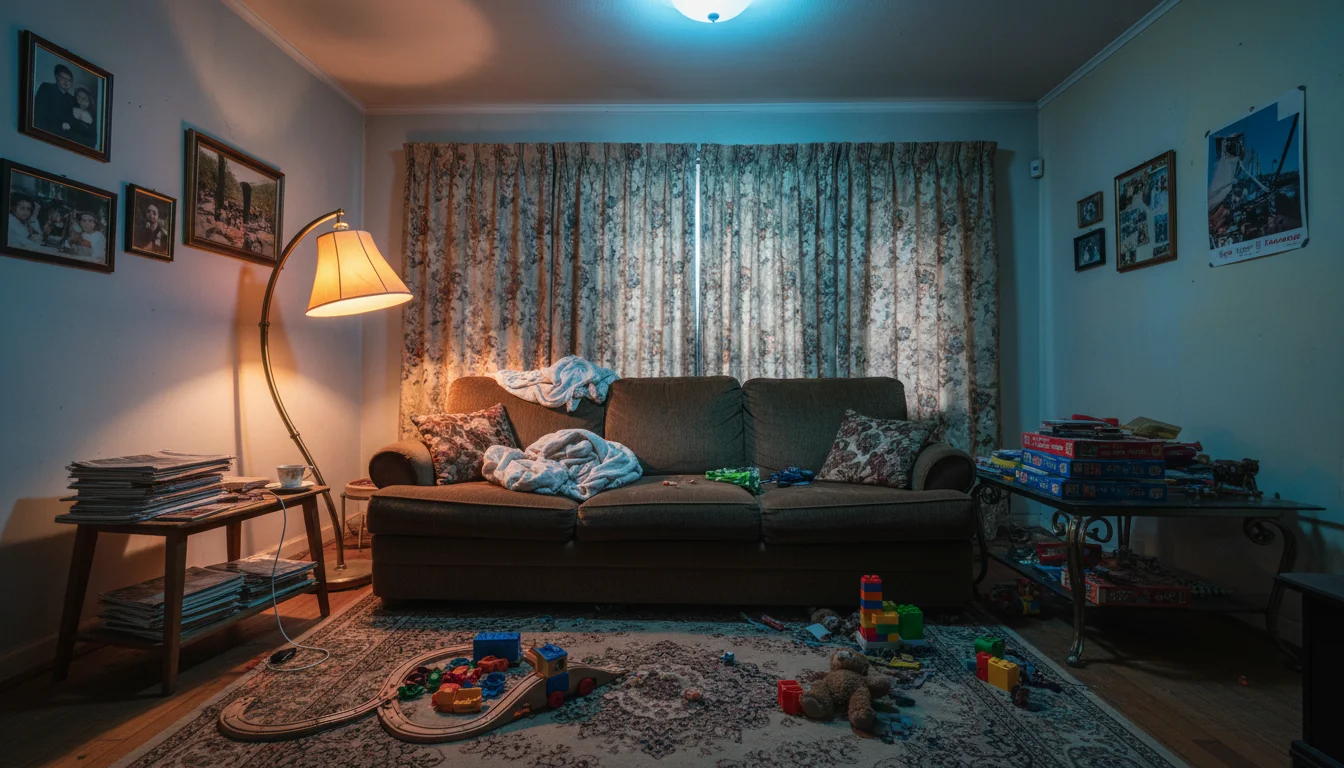 Before
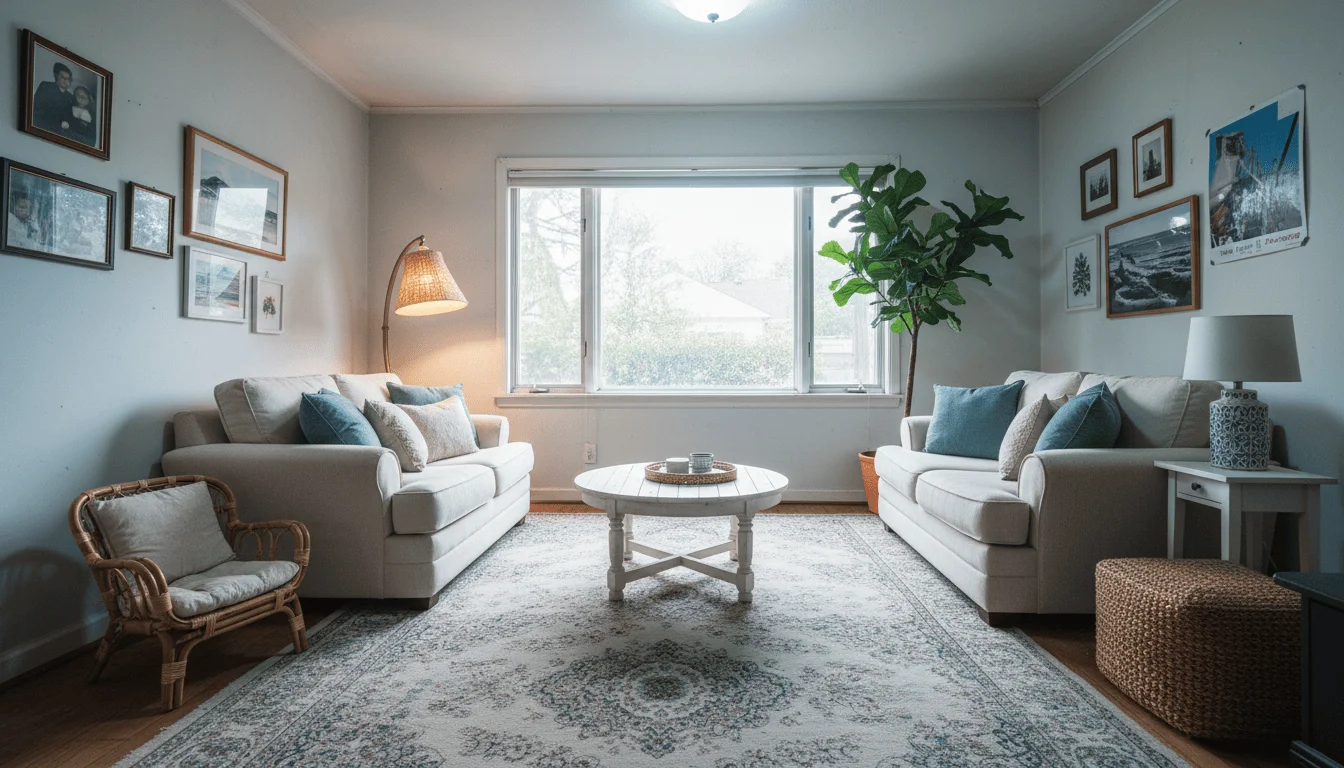 After
AfterAI redesign from a single photo in 30 seconds
Room types
An online AI interior designer for every room type
Upload a photo of any interior space and get photorealistic redesign options in seconds.
Living Room
Redesign, restyle, or stage your main space.
Bedroom
Explore calming palettes and layout options.
Kitchen
Update finishes, cabinets, and countertops.
Dining Room
Set the mood for every occasion.
Home Office
Balance productivity and style.
Bathroom
Transform fixtures, tiles, and lighting.
What it is
What is AI room design from a photo?
AI room design from a photo works by analyzing the structure of your existing space: walls, windows, floor material, natural light direction, ceiling height, and proportions. You upload any photo of an interior room, choose a style or describe what you want in plain language, and the AI generates a photorealistic redesign in under a minute.
This is fundamentally different from 3D interior design software like SketchUp, AutoCAD, or RoomSketcher. Those tools require you to build a 3D model of your room from scratch, a process that takes hours and requires technical skill. AI room design from a photo starts from reality: it preserves everything that is already there and changes only what you direct it to change.
The result is a photorealistic image that shows your actual room with your proportions, your lighting, and your floor, transformed into a different style. Not a generic showroom render, but your specific space redesigned.
It works for every room type: living rooms, bedrooms, kitchens, dining rooms, home offices, and bathrooms. It is used by homeowners planning renovations, interior designers preparing client presentations, real estate agents visualizing listing potential, and property developers showing buyers furnished versions of empty units.
What you can do
Six AI home design modes from a single photo
Redesign
Swap furniture and decor. Keep your walls and layout.
Virtual Staging
Furnish empty rooms for listings or planning.
Declutter
Remove clutter and personal items from the scene.
Sketch to Render
Turn a rough sketch into a photorealistic room.
Edit
Change specific objects while keeping the rest intact.
Upscale
Increase resolution and sharpness of any render.
Examples
AI room design before and after
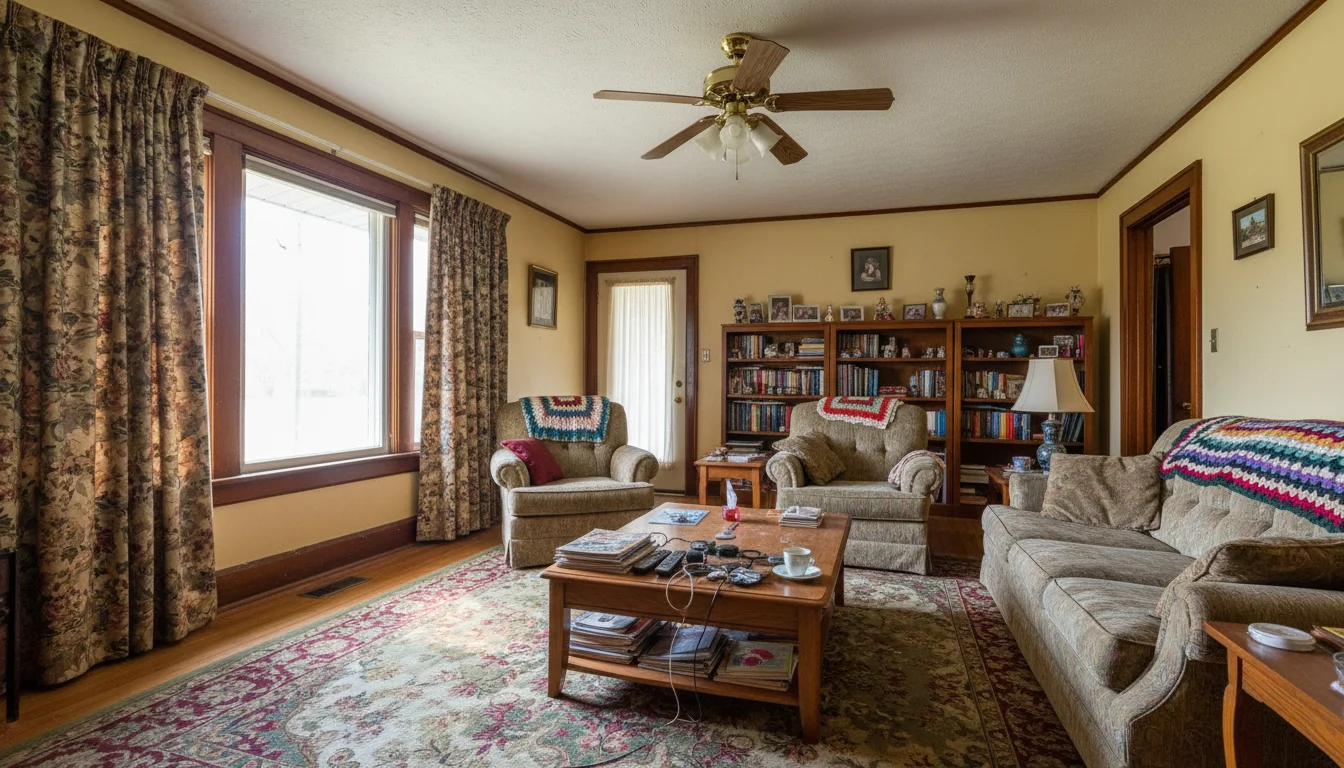 Before
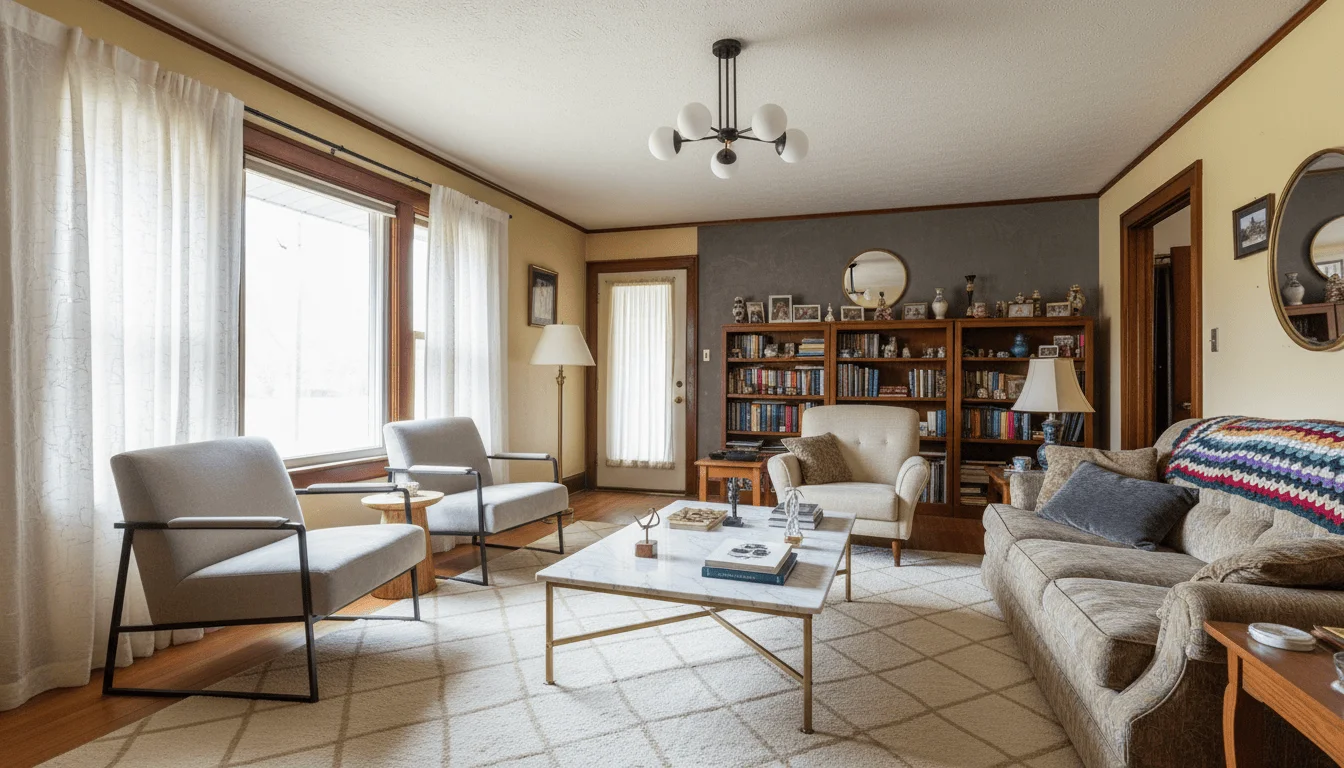 After
AfterFull Room Redesign
Redesign mode · Scandinavian style
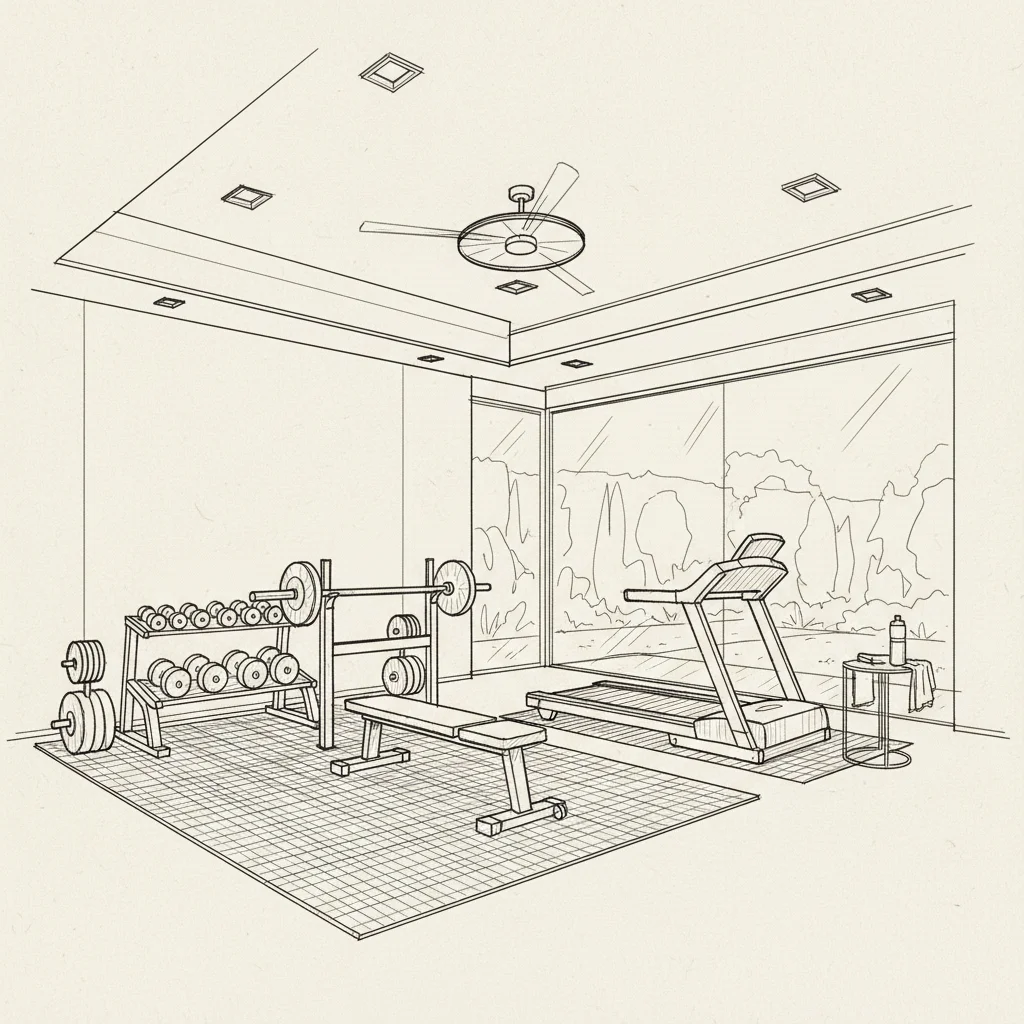 Sketch
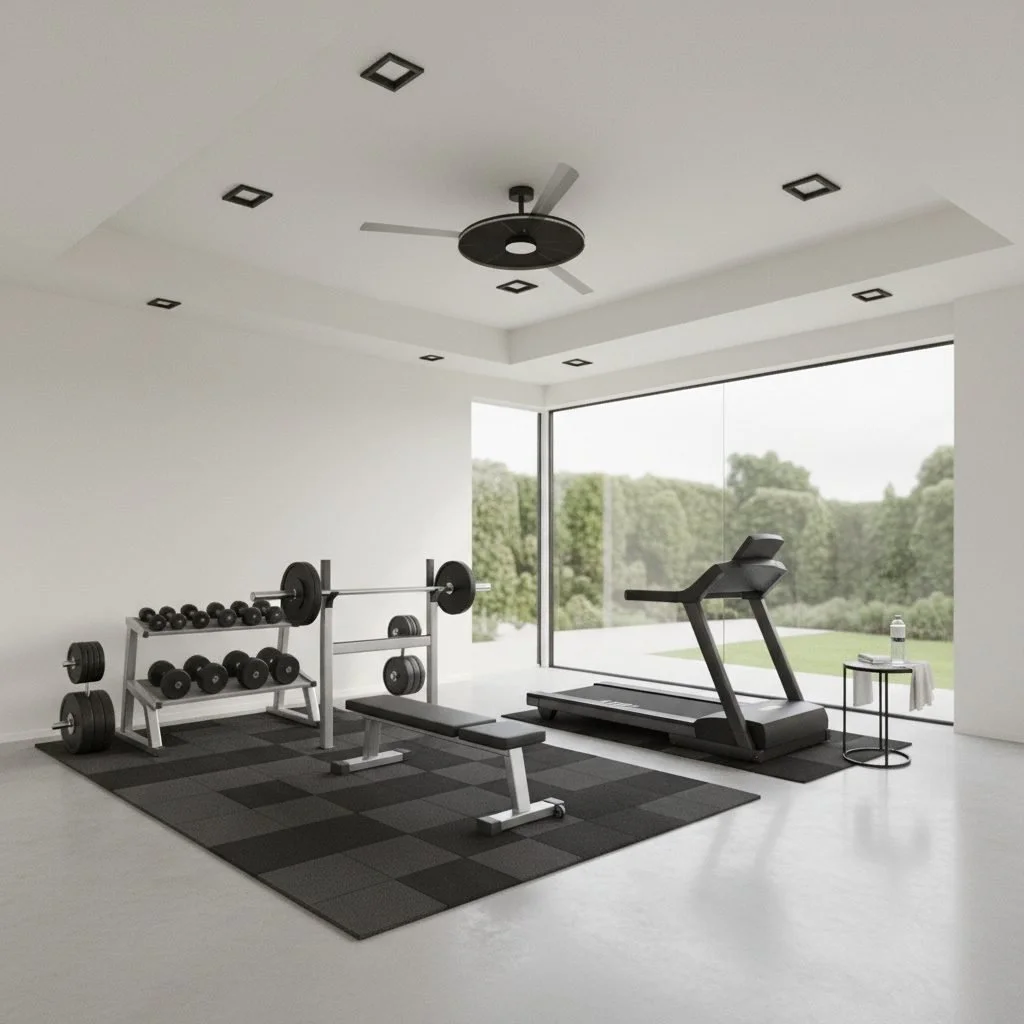 Render
Sketch to Photorealistic Render
Sketch to Render mode · Concept to reality
How it compares
AI room design vs. 3D design software
Design your room from a photo without learning technical software.
| Feature | AI from Photo | 3D Design Software |
|---|---|---|
| Starting point | Your real room photo | Empty 3D model you build |
| Technical skill needed | None | Weeks to learn |
| Time to first result | Under 1 minute | Hours to days per room |
| Cost | $5 to $15 per render | $300 to $1,200/yr plus time |
| Reflects real room lighting | Yes, matches your photo | Approximated rendering |
| Who uses it | Homeowners, agents, designers | Professional architects |
FAQ
AI room design questions
Common questions about designing rooms with AI from a photo.
Yes. Upload a photo of any room and AI Room Styler generates photorealistic redesigns based on the style and mode you choose. The AI reads the existing architecture, lighting, and proportions from your photo and applies the new design on top.
Living rooms, bedrooms, kitchens, dining rooms, bathrooms, and home offices all produce strong results. The AI works with any interior space. Good natural lighting and a clear wide-angle photo improve the output quality.
Most redesigns finish in 30 seconds. During peak times or with higher-detail jobs, processing can take up to two minutes. There is no queue to join and no waiting list.
No. You choose a style from a list or describe what you want in plain language. The AI handles the design work. Many professional designers also use it to speed up concept presentations for clients.
Clear smartphone photos work well. Use natural daylight, avoid heavy shadows across the room, and shoot from a corner or doorway to capture the full space. Higher-quality photos produce sharper, more detailed results.
In Redesign mode, structural elements (walls, windows, doors, and flooring) stay intact by default. The AI replaces furniture and decor. Modes like Restyle apply broader changes including wall color and surfaces. You choose the level of transformation.
Yes. You can run the same room photo through as many styles as you want. Each redesign uses one design from your monthly allowance, but there is no limit on redesigns per photo, making it easy to compare directions before you commit.
3D design software like SketchUp or RoomSketcher requires you to build a model of your room from scratch, which takes hours and demands technical skill. AI room design from a photo starts from your actual room: no modeling, no learning curve, results in under a minute.
Yes. All outputs are downloadable in high resolution, suitable for client presentations, printing, social media, and property listings. There is no watermark on downloaded images.
Yes. Upload separate photos for each room and redesign them individually. There is no limit on the number of rooms, and each redesign uses one design from your allowance rather than charging per project or property.
The AI infers depth, scale, and proportion from visual cues in the photo: perspective lines, furniture scale relative to walls, window placement, and shadow direction. It uses this spatial understanding to place new elements at the correct scale.
Yes. Sign in with Google to get one free generation, no credit card required. After that, subscribe to a monthly plan for an ongoing design allowance.
Explore by use case
Room redesign guides
Go deeper by room, by style, and by mood.
Redesign by room
Explore by style
Adjust the mood
Upload a photo, get a redesign in seconds
No software. No design experience. Just upload and explore.
Design My Room